- Price the common jobs once and use the list every time; two techs quoting different prices for the same water heater costs more than either price.
- The core of plumbing estimating is on Koira's Grow plan, $249 a month plus usage, with no per-person fee.
- Card rates for Kickserv, ServiceM8 and Housecall Pro are from each company's own pages, next to Koira's.
How a plumbing shop estimates
Most plumbing estimates are priced on the spot: a water heater, a toilet, a leak under a sink. The customer wants the number before you start, and the shop that prices the same job the same way every time keeps their trust.
Bigger work, a repipe or a sewer line, is where options earn their keep: repair the section, replace the run, or replace with an upgrade.
Quotes, flat-rate pricing and estimates for plumbers
- Flat-rate pricing. Put each common job in your price book once, as a flat price, a per-unit price or a minimum charge, and every quote uses it. Koira never writes a number that is not in it.
- Quotes on the spot. A drain clear or a faucet swap is one line, sent by text and approved on the customer's phone before you start.
- Options on bigger work. Spot repair, full line replacement or replacement with an upgrade sit side by side on one estimate, signed with the deposit on the same page.
- Instant prices on your site. Services you mark for online quoting answer from your list day or night, so the shopper has a number before calling the next plumber. See instant quotes.
- Commercial service work. Service calls for property managers and small commercial accounts quote the same way. Koira does not read blueprints or do material takeoffs for new construction bids.
- Setting the prices. The plumbing pricing guide walks through your labor rate, markup and flat prices for common jobs.
What goes on a plumbing estimate
- Water heater replacement, tank or tankless
- Toilet repair or replacement
- Faucet and fixture install
- Drain clearing by access point
- Sewer camera inspection
- Spot repair or full line replacement
- Repipe by fixture count
- Shutoff valve and supply line swap
What estimating software should do for plumbers
- Prices from your own list, never made up
- Options side by side on one estimate
- Signature and deposit on the same page
- Follow-ups that stop when they sign
- Instant price on your site, which matters for plumbers
- Paid on the spot, which matters for plumbers
Plumbing estimating in Koira, step by step
A plumbing quote in Koira is usually priced before you open the toolbox: the same water heater gets the same number no matter which plumber is in the truck.
- Price it from the list on the spot. A toilet rebuild or a shutoff swap is one line from your price list, texted to the customer and approved on their phone before the work starts.
- Let shoppers price themselves. Water heaters and common fixtures marked for online quoting answer on your site from the same list at any hour, so the customer has your number before calling anyone else.
- Camera, then options. After a sewer camera visit, put spot repair, full line replacement and replacement with an upgrade on one estimate, each with its own lines. Photos of the job help Koira draft it from your list.
- Deposit before you dig. The customer signs with a finger and pays the deposit on the same page, and can choose to pay a line replacement over time through Affirm or Klarna.
- Nobody forgets the repipe bid. On Grow, an unsigned repipe or sewer estimate is nudged on day two and day four, then the nudges stop, and you see when it was opened.
For plumbers in particular
- Price book. Koira prices from your own list. Anything you have not priced comes to you once as a question, and it never invents a number.
What it looks like in Koira
These are real Koira screens at phone size. The names and jobs come from Koira's sample account, a demo plumbing business called Ray's Plumbing; a plumbing account shows its own customers, services and prices in the same places.
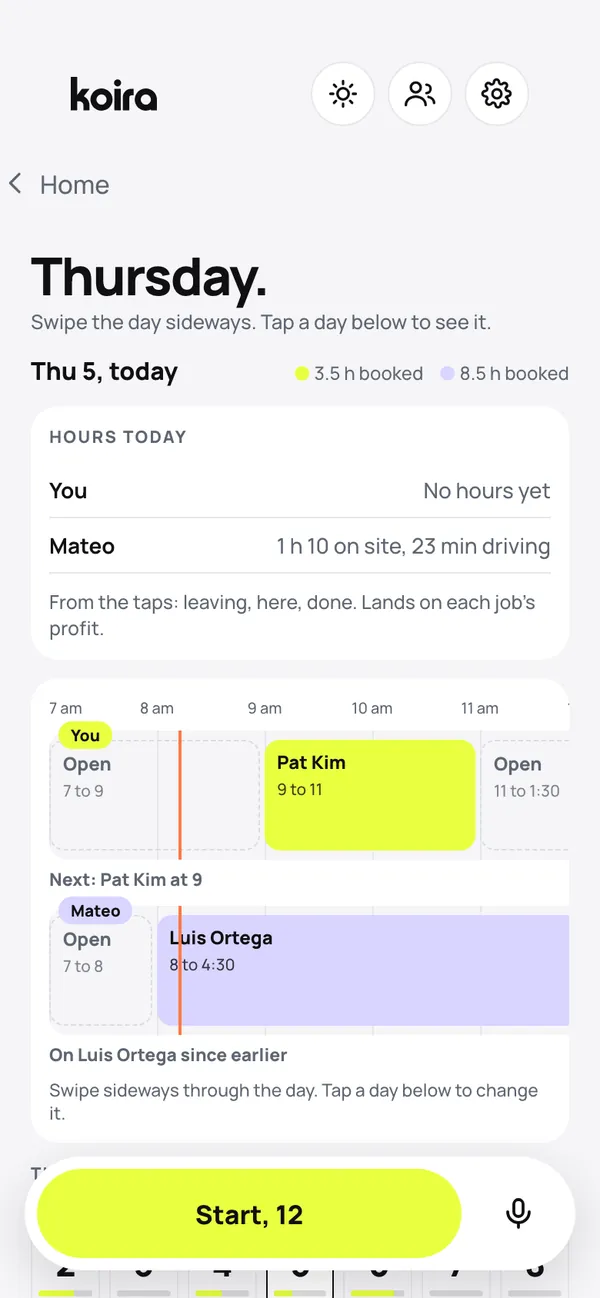
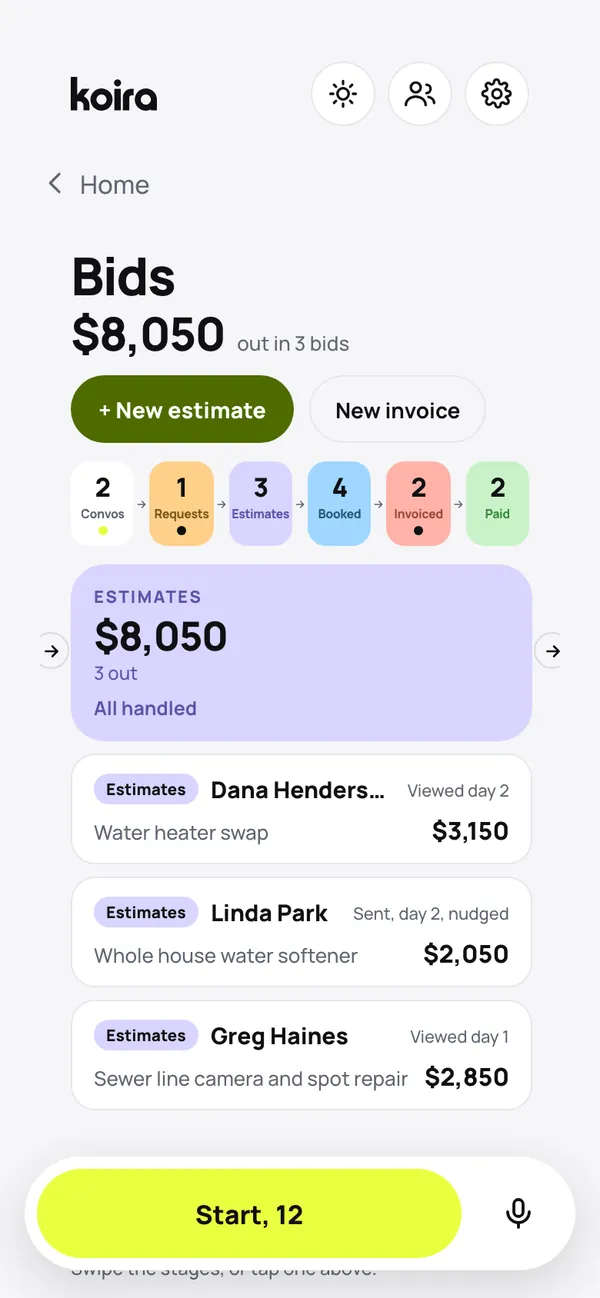
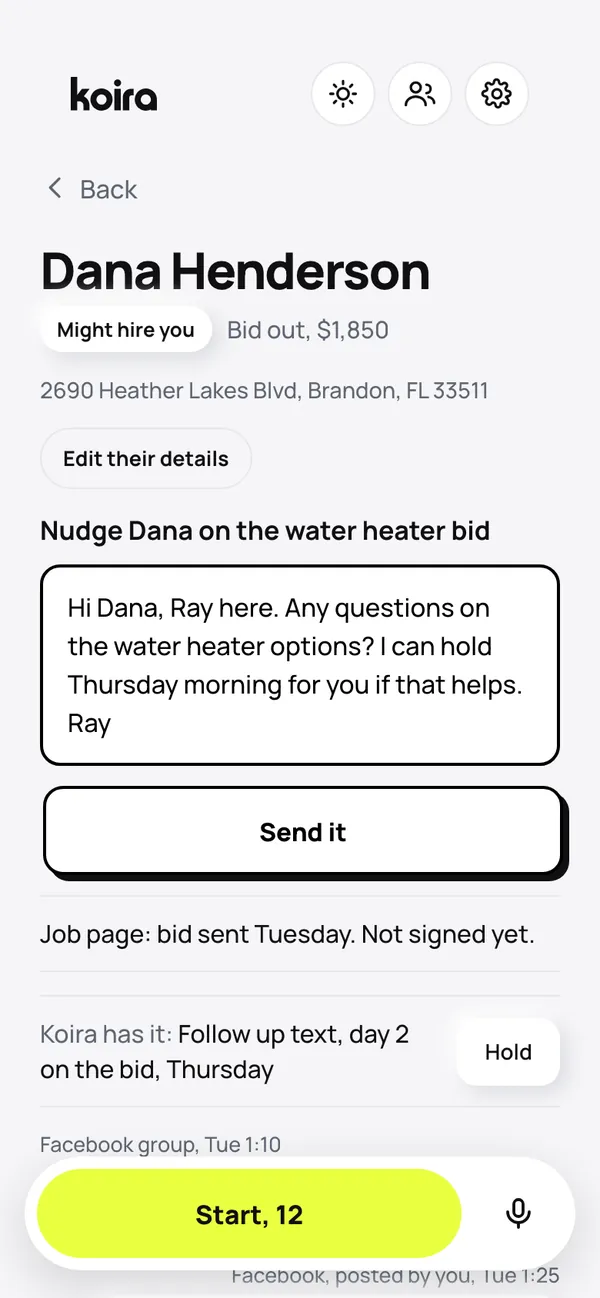
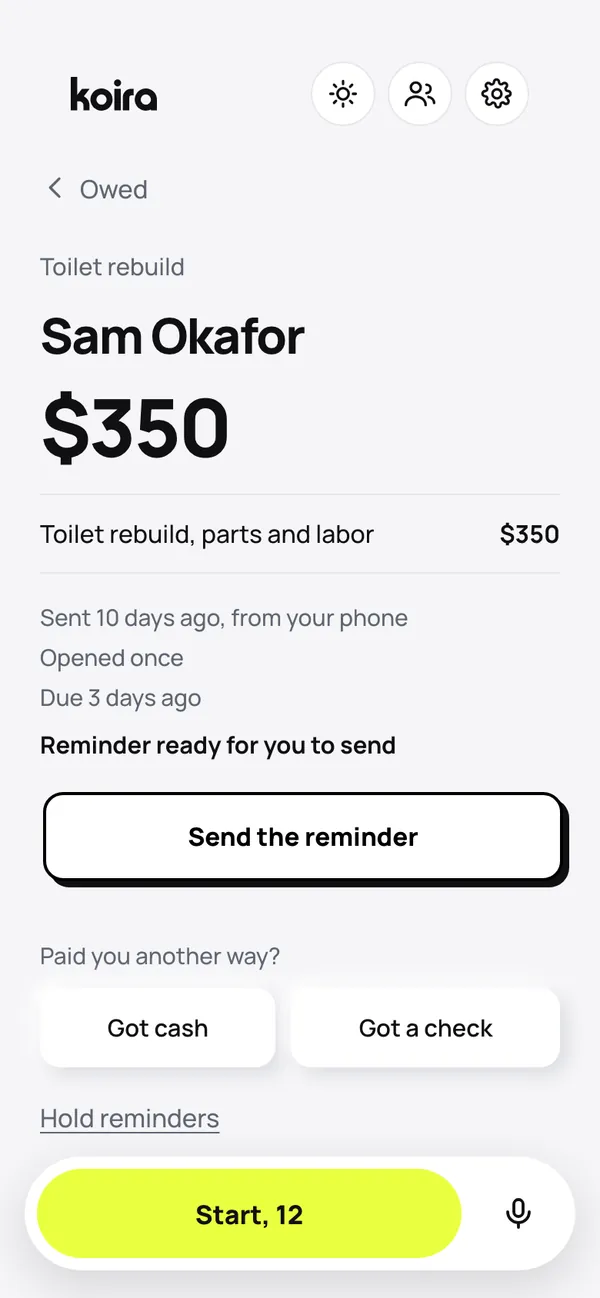
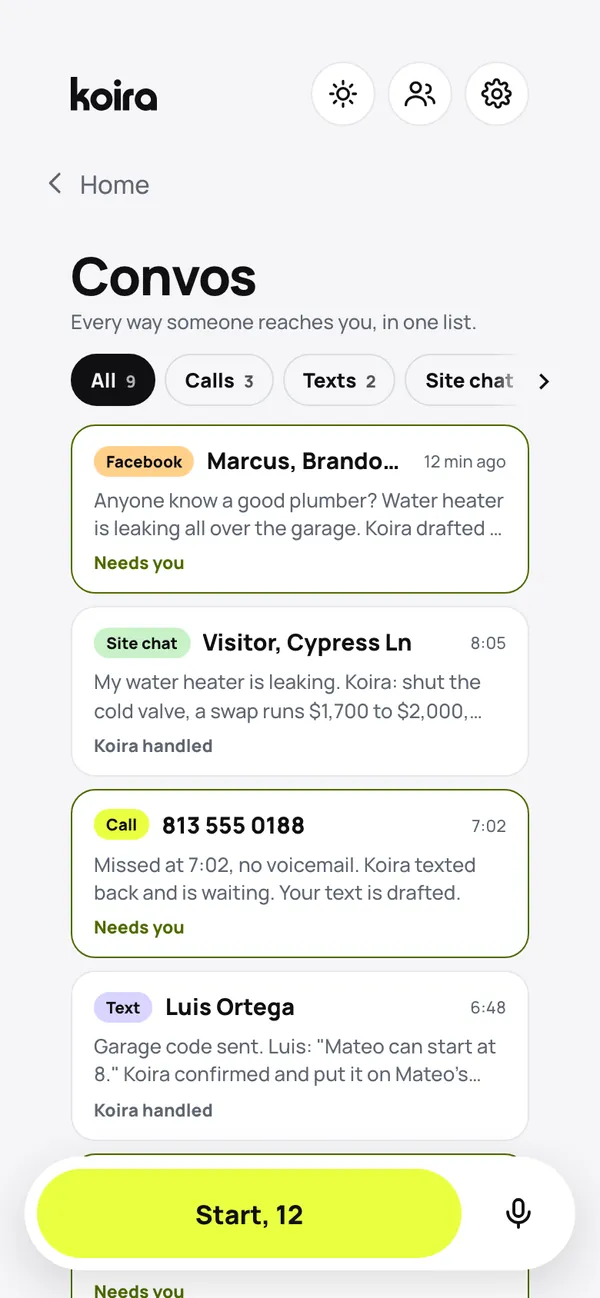
Three steps from first call to paid, for plumbing
- Price from your own list. Koira builds the estimate from your flat-rate price list, so the water heater, the permit and the haul away come out the same every time.
- Give three ways to say yes. A gas tank, a heat pump and a tankless unit can sit on one estimate. The customer picks one, signs and pays the deposit on the same page, and can pay over time with financing on the pay page.
- Follow up, then invoice. On Grow Koira follows up on day two and day four, like the screen above. Once it is signed the job lands on Today, and the invoice is built from the estimate when you tap done.
Koira, Jobber and Housecall Pro for plumbing estimating
Where each one lists what decides plumbing estimating:
- Instant price on your site. Koira: Office (free). Jobber: not listed on its pricing page. Housecall Pro: not listed on its pricing page.
- Paid on the spot. Koira: Office, QR code at the door, 2.9% + 30¢ (Stripe) plus 0.5% to 2% (Koira) a payment. Jobber: Core, 2.7% + 30¢ a payment, from $49 a month, 1 user. Housecall Pro: Tap to Pay, listed as a separate product.
- Estimates. Koira: Office (free). Jobber: Core, from $49 a month, 1 user. Housecall Pro: Basic, from $79 a month, 1 user.
Housecall Pro lists a price book on Basic and flat-rate pricing on Essentials, and consumer financing on Basic; Jobber lists quotes and online booking on Core and does not list a price book or financing on its pricing page. Neither lists an instant price on your own site. If your techs want Tap to Pay or job costing per ticket, both list them and Koira does not.
Same source: Jobber pricing and Housecall Pro pricing, checked October 8, 2026.
Side by side
The features that matter for plumbing estimating, where each first appears on each company's public pricing page, then the people, usage, card and add-on rows every company gets.
| What you need | Koira | Kickserv | ServiceM8 | Housecall Pro |
|---|---|---|---|---|
| Estimates | Office (free) | Not listed | Every plan | Basic |
| Options on one estimate | Office, up to three | Not listed | Every plan (proposals) | Max (sales proposal tool) |
| E-signatures | Office (free) | Not listed | Not listed | Not listed |
| Deposits at signing | Office, at signing | Not listed | Every plan | Not listed |
| Price book | Office (your price list) | Not listed | Not listed | Basic (price book), Essentials (flat-rate pricing) |
| Automatic estimate follow-ups | Grow, on day two and day four, then it stops | Not listed | Not listed | Pipeline, listed as a separate product |
| Instant price on your site | Office (free) | Not listed | Not listed | Not listed |
| Paid on the spot | Office, QR code at the door, 2.9% + 30¢ (Stripe) plus 0.5% to 2% (Koira) a payment | Every plan, 2.9% with Tap to Pay | Not listed | Tap to Pay, listed as a separate product |
| People, usage and card fees | ||||
| Extra people | No per-person fee; one or fifteen people, the same price | Move up a plan | No per-user fee on paid plans | $35 a month each on Max; on Basic and Essentials, move up a plan |
| Usage or credits | None on Office, at cost on Grow, included on Front Office | None on the pricing page | New jobs a month: 30, 50, 150, 500, or 1,500 and up (20¢ per added job on Premium Plus) | None on the pricing page |
| Card payments | 2.9% + 30¢ (Stripe) plus 2%, 1% or 0.5% by plan (Koira) | 2.9% with Tap to Pay, 3.9% when the card is not present (Stripe) | Not published on its pricing or payments page | From 2.59% a card payment, 1% bank payments |
| Add-ons | None; postcards are a flat price per card | QuickBooks Desktop $50 a month; 5% off the plan when you process enough payments | ServiceM8 Phone from $19 a month | CSR AI, Pipeline, Campaigns, Voice, Websites and Tap to Pay, sold separately, no price listed |
From Kickserv pricing, checked October 9, 2026; ServiceM8 pricing, checked October 15, 2026; Housecall Pro pricing, checked October 8, 2026. ServiceM8's prices fill in by script, so we read the page in a real browser. Part of Housecall Pro's pricing page fills in by script and it was running first-month offers when we checked. The plan prices below are the regular ones its plan cards show. A cell names the lowest plan that lists the feature; "Not listed" means we did not see it, so ask. Prices change often, so check the page before you buy.
What each one costs
Every plan in the same columns: price, people, usage, card rates and add-ons.
| Plan | Monthly | Billed yearly | People included | Usage or credits |
|---|---|---|---|---|
| Koira | ||||
| Office | $0, free | Monthly, no contract | One or fifteen, the same price | None charged on Office |
| Grow | $249 a month | Monthly, no contract | One or fifteen, the same price | Texts, call minutes and emails at cost, nothing added |
| Front Office | $499 a month, flat | Monthly, no contract | One or fifteen, the same price | Included in the $499 |
| Kickserv | ||||
| Start | $60 a month | 20% off with a yearly subscription | 5 users | None on the pricing page |
| Run | $119 a month | 20% off with a yearly subscription | 10 users | None on the pricing page |
| Scale | $199 a month | 20% off with a yearly subscription | 20 users | None on the pricing page |
| ServiceM8 | ||||
| Free | $0 | No yearly price published | 1 user | 30 new jobs a month |
| Starter | $29 a month | No yearly price published | Unlimited users | 50 new jobs a month |
| Growing | $79 a month | No yearly price published | Unlimited users | 150 new jobs a month |
| Premium | $149 a month | No yearly price published | Unlimited users | 500 new jobs a month |
| Premium Plus | $349 a month | No yearly price published | Unlimited users | 1,500 jobs a month, then 20¢ a job |
| Housecall Pro | ||||
| Basic | $79 a month | $59 a month billed yearly | 1 user | None on the pricing page |
| Essentials | $189 a month | $149 a month billed yearly | 5 users | None on the pricing page |
| Max | $329 a month | $299 a month billed yearly | 8 users | None on the pricing page |
What comes on top: people, card payments and add-ons
| Company | Each extra person | Card payments | Add-ons |
|---|---|---|---|
| Koira | No per-person fee on any plan | 2.9% + 30¢ (Stripe) plus 2% on Office, 1% on Grow, 0.5% on Front Office (Koira); on Office that share replaces a monthly fee | None; postcards are a flat price per card |
| Kickserv | Move up a plan | 2.9% with Tap to Pay, 3.9% when the card is not present (Stripe) | QuickBooks Desktop $50 a month; 5% off the plan when you process enough payments |
| ServiceM8 | No per-user fee on paid plans | Not published on its pricing or payments page | ServiceM8 Phone from $19 a month |
| Housecall Pro | $35 a month each on Max; on Basic and Essentials, move up a plan | From 2.59% a card payment, 1% bank payments | CSR AI, Pipeline, Campaigns, Voice, Websites and Tap to Pay, sold separately, no price listed |
Plans and prices from the same pricing pages as the table above, on the same dates. Prices change often, so check the page before you buy.
Card rates as each company publishes them (also Kickserv payments, ServiceM8 payments), checked October 9, 2026. Koira's is Stripe's 2.9% + 30¢ for a US card plus Koira's share, which pays for Office in place of a monthly fee.
Koira's plans
Koira has three plans and no per-person fee on any of them, so a plumbing business pays the same with one person or fifteen. Every price is on the Koira pricing page.
| Plan and price | What it includes |
|---|---|
| Office Free | Site, estimates with signing and deposits, invoices, card payments, the day plan, a page for every customer |
| Grow $249 a month plus usage at cost | Adds the AI receptionist and text-back on a Koira number, Turbo, campaigns, referrals, your own domain, QuickBooks |
| Front Office $499 a month flat, usage included | Adds maintenance plans sold on your site, crew routes and hours, commercial outreach, outbound calls |
Card payments are Stripe's 2.9% + 30¢ plus Koira's share: 2% on Office, 1% on Grow and 0.5% on Front Office. On Office that share is how Koira is paid, in place of a monthly fee.
Koira vs Jobber vs QuoteIQ for plumbing estimating
The same rows for all three, at their lowest plan that lists each feature. A plumbing estimate is won on clear options, the signature and the follow-up, so those rows are here.
| Koira | Jobber | QuoteIQ | |
|---|---|---|---|
| Lowest monthly price | $0 (Office) | $49 a month (Core, 1 user) | $29.99 a month (Essentials, 1 user) |
| Each added person | No per-person fee | $29 a month each | $25 a month each |
| Price list | Office (your price list) | Not listed | Essentials (price book) |
| Options on one estimate | Office, up to three | Grow (optional line items) | Essentials (options estimates) |
| E-signature | Office (free) | Core (signature approvals) | Essentials (e-signatures on estimates) |
| Deposits | Office, at signing | Not listed | Essentials (partial payments) |
| Follow-ups on open estimates | Grow, on day two and day four, then it stops | Connect | Pro (email and text automation) |
| Customer financing | On the pay page, every plan | Not listed | Essentials (via Stripe or Whop) |
From Jobber pricing, checked October 8, 2026; QuoteIQ pricing, checked November 3, 2026. Koira's cells are from its own plans. Jobber's pricing page blocks a plain fetch and changes its prices with a team size picker, so we read it in a real browser. The $29 a month per added user is in the note behind each plan's user count. Prices are per month in US dollars and change often, so check the page before you buy.
For the full side by side, with every plan and fee, read Jobber alternative for plumbers and QuoteIQ alternative for plumbers, or Housecall Pro alternative for plumbers if Housecall Pro is the other name on your list.
Sources, each checked October 9, 2026: Kickserv pricing, Kickserv payments, ServiceM8 pricing (checked October 15, 2026), ServiceM8 payments, Housecall Pro pricing (checked October 8, 2026), Housecall Pro industries (checked October 8, 2026), Jobber pricing (checked October 8, 2026), Jobber industries (checked October 8, 2026), Stripe pricing, and Koira pricing. We read each page's own text; we did not use summaries or third-party price lists.
For every trade: AI estimating software and price book software.
The short list: the best plumbing software in 2026, compared.
Estimating software for other trades: Electrical estimating software, Roofing estimating software and Landscaping estimating software.
Shane Allen writes Koira's guides for trade business owners. How we check our numbers.