
- For a window cleaning company, the features that decide the software are day-before reminders, stops sorted by the drive, customers book online.
- Koira covers that list on Office (free), with no per-person fee.
- Prices for Jobber, Housecall Pro and QuoteIQ are from each company's own page, checked October 8, 2026 (QuoteIQ's on November 3, 2026).
- Count the people who will use it before you compare prices.
What a window cleaning company needs from software
Window cleaning is a route business with small tickets. A good day is a lot of stops close together, every customer home or the gate unlocked, and every one of them paid before you leave. A bad day is a locked gate, a forgotten appointment and an hour of driving between jobs.
So the software that fits is the one that confirms tomorrow's visits for you, keeps the route tight and brings spring customers back in the fall without you writing a single text.
- Day-before reminders. A day-before confirmation is the cure for the locked gate.
- Stops sorted by the drive. Small tickets only pay when the stops are close together.
- Customers book online. Homeowners want to book from a price on your site.
- Recurring service plans. Twice-a-year and quarterly customers are the base of the route.
- Seasonal email and text campaigns. Spring customers need a nudge to book again in the fall.
- Instant price on your site. A price by the house or by the pane, on your site, books the job.
A plain checklist for window cleaning software
- A price on your site by the house or by the pane
- Day-before confirmations the customer answers with one letter
- Stops sorted by the drive, with an on-my-way text
- Recurring visits billed on the card on file
- A reminder when the season comes round
- Review asks after every paid visit
- Outreach to storefronts and property managers
- Paid on the spot by card or phone wallet
How Koira covers the list
Day-before reminders. Koira confirms every visit the day before. The customer replies C to confirm or R to move it.
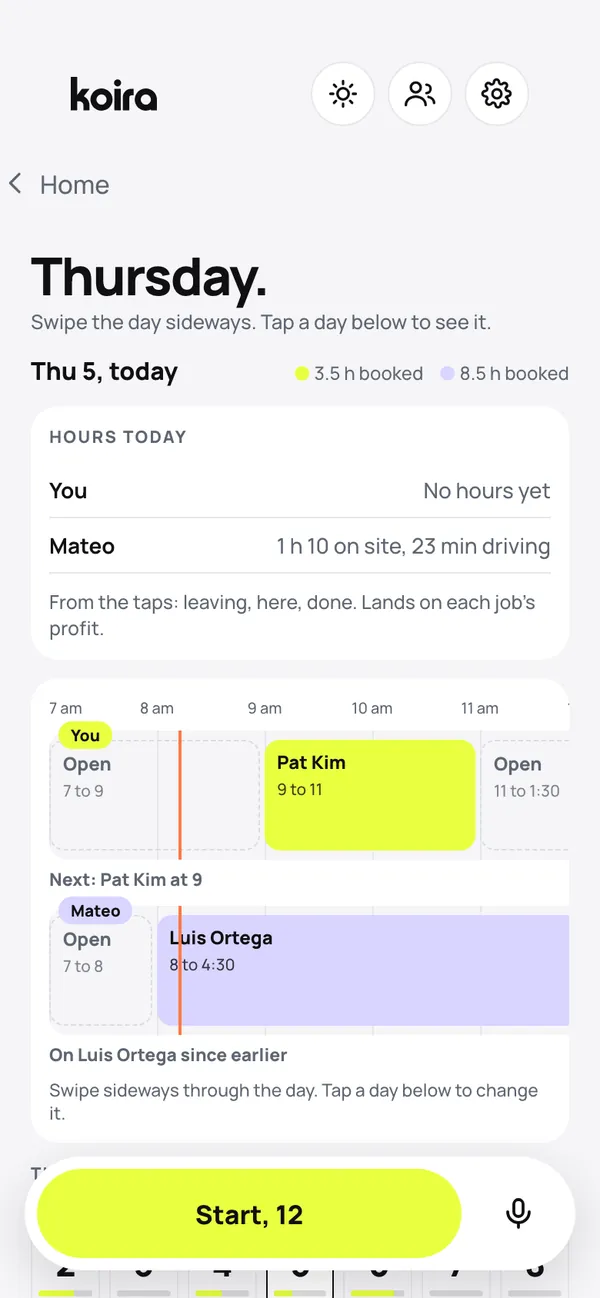
Stops sorted by the drive. Today puts every stop in driving order, with an on-my-way text, on every plan.
Customers book online. The Get a price button answers from your list and books a time on the same page.
Recurring service plans. On Front Office, a plan bills on the card on file and Koira books each visit when it comes due.
Seasonal email and text campaigns. On Grow, past customers get a text when the season comes round, with one tap to book.
Instant price on your site. Prices come from your own list, by the house or by the pane.
What it looks like in Koira
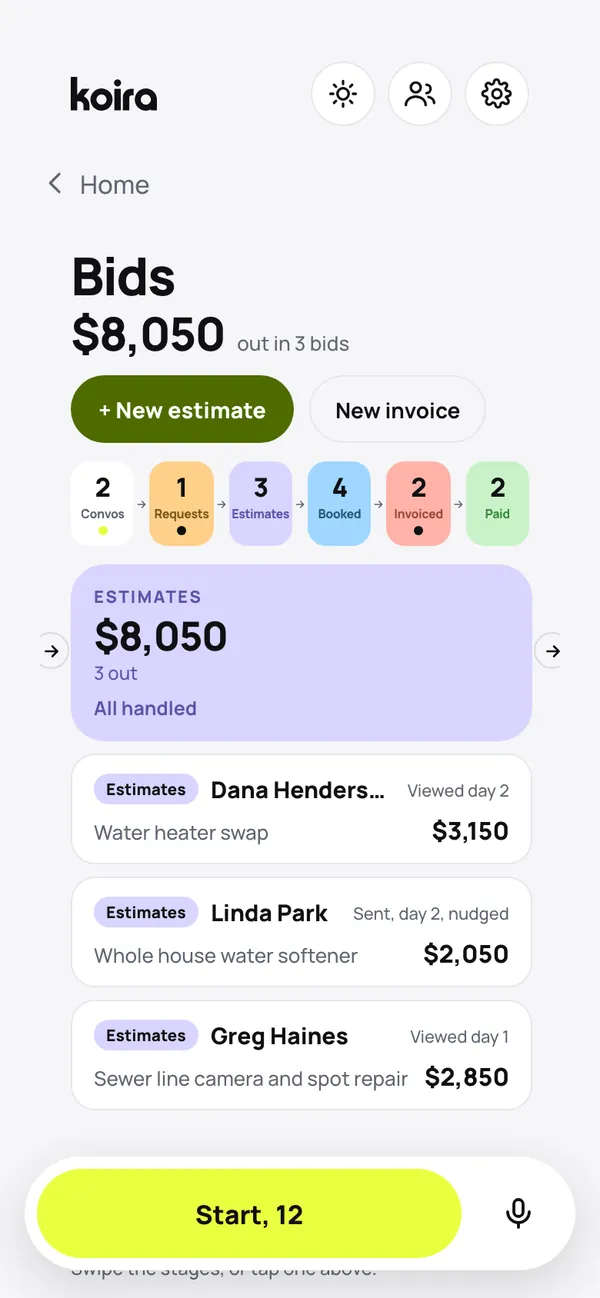
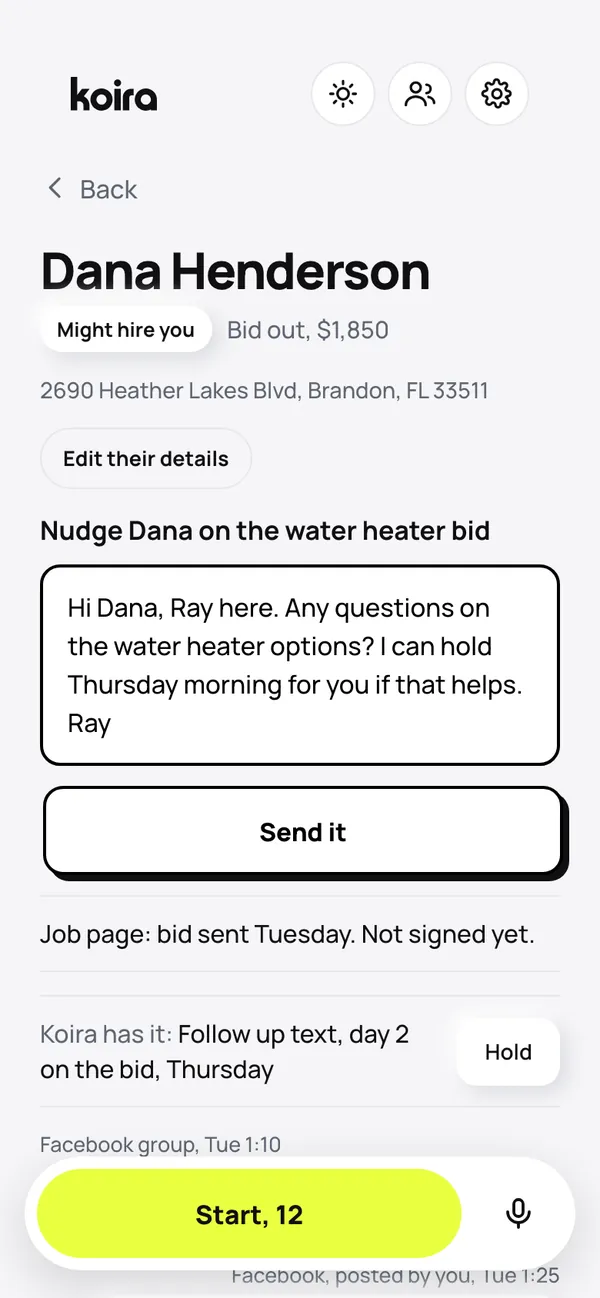
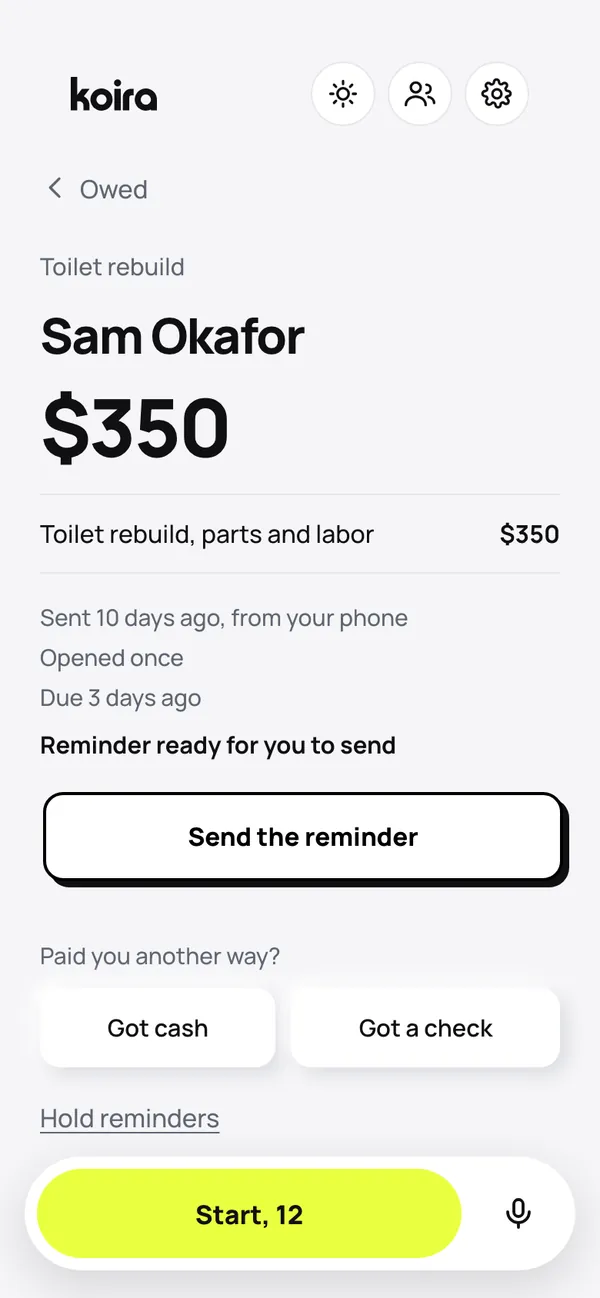
These are real Koira screens at phone size. The names and jobs come from Koira's sample account, a demo plumbing business called Ray's Plumbing; a window cleaning account shows its own customers, services and prices in the same places.
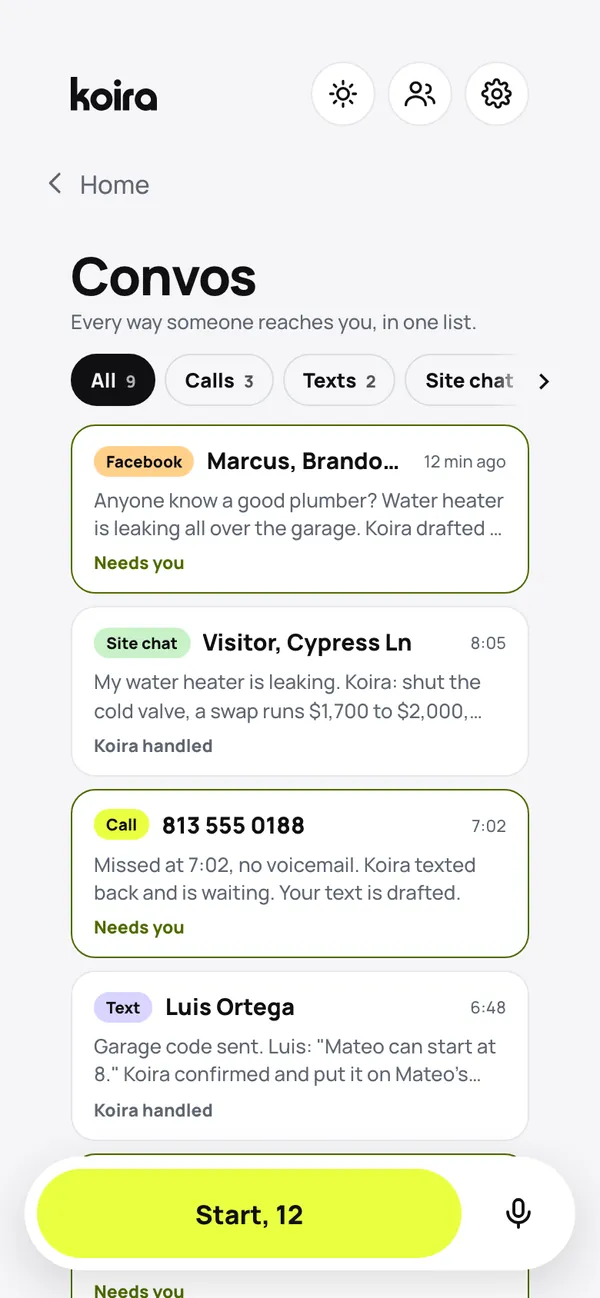
Three steps from first call to paid, for window cleaning
- Price the house the same day. Send one estimate with up to three choices, say outside only, inside and out, and inside and out with screens and tracks. The customer picks one, signs and pays the deposit on the same page. Your site's Get a price button can answer from your own price list before you ever call back.
- Put it on the route. The visit lands on Today with the stops sorted by the drive, and the customer gets a reminder the day before.
- Get paid and booked again. Tap done and the invoice goes out; the customer pays by card or the QR code at the door. Koira asks for the review once it is paid, and on Front Office the twice-a-year clean can be sold as a maintenance plan.
What to compare
These are the features that matter most to a window cleaning company, and where each one first appears on each company's public pricing page. It is not a full feature list for anyone, including us.
| What you need | Koira | Jobber | Housecall Pro | QuoteIQ |
|---|---|---|---|---|
| What decides it | ||||
| Day-before reminders | Office, the day before | Connect (automated client notifications) | Not listed | Pro (email and text automation) |
| Stops sorted by the drive | Office (stops sorted by the drive) | Connect | Essentials (routes), Max (route optimization) | Elite (route optimization) |
| Customers book online | Office (free) | Core | Basic | Elite (InstaSchedule online booking) |
| Worth having | ||||
| Recurring service plans | Front Office | Connect (automatic payments for recurring work) | Max (recurring service plans) | Essentials (recurring jobs and invoice subscriptions) |
| Seasonal email and text campaigns | Grow | Marketing Suite add-on, $99 a month, included on Plus | Campaigns, listed as a separate product | Elite (mass text and email campaigns) |
| Instant price on your site | Office (free) | Not listed | Not listed | Elite (InstaQuote) |
| People | ||||
| Extra people | No per-person fee | Priced by team size (1, 5, 10 or 15 users), plus $29 a month for each added user | Basic 1 user, Essentials 5, Max 8, then $35 a month for each added user on Max | Essentials 1 user, Beginner 2, Pro 4, Elite 10, Max 20, then $25 a month for each added user |
From Jobber pricing and Housecall Pro pricing, checked October 8, 2026; QuoteIQ pricing, checked November 3, 2026. A cell names the lowest plan that lists the feature; "Not listed" means we did not see it, so ask. Jobber's pricing page blocks a plain fetch and changes its prices with a team size picker, so we read it in a real browser. The $29 a month per added user is in the note behind each plan's user count. Part of Housecall Pro's pricing page fills in by script and it was running first-month offers when we checked. The plan prices below are the regular ones its plan cards show. Prices are per month in US dollars and change often, so check the page before you buy.
ServiceTitan is left out of that table because its pricing page does not list prices. It sells Starter, Essentials and The Works per technician on request, and is built for shops with an office.
What each one costs
Every plan in the same columns: price, people, usage, card rates and add-ons. Koira has no per-person fee on any plan, and Office costs nothing a month.
| Plan | Monthly | Billed yearly | People included | Usage or credits |
|---|---|---|---|---|
| Koira | ||||
| Office | $0, free | Monthly, no contract | One or fifteen, the same price | None charged on Office |
| Grow | $249 a month | Monthly, no contract | One or fifteen, the same price | Texts, call minutes and emails at cost, nothing added |
| Front Office | $499 a month, flat | Monthly, no contract | One or fifteen, the same price | Included in the $499 |
| Jobber | ||||
| Core | $49 a month | $29 a month billed yearly | 1 user | None on the pricing page |
| Connect | $139 a month for 1 user, $199 for 5 | $99 a month for 1 user, $149 for 5, billed yearly | 1, 5, 10 or 15 users | None on the pricing page |
| Grow | $199 a month for 1 user, $299 for 5 | $149 a month for 1 user, $229 for 5, billed yearly | 1, 5, 10 or 15 users | None on the pricing page |
| Plus | $499 a month for 5 users | $399 a month for 5 users, billed yearly | 5, 10 or 15 users | None on the pricing page |
| Housecall Pro | ||||
| Basic | $79 a month | $59 a month billed yearly | 1 user | None on the pricing page |
| Essentials | $189 a month | $149 a month billed yearly | 5 users | None on the pricing page |
| Max | $329 a month | $299 a month billed yearly | 8 users | None on the pricing page |
| QuoteIQ | ||||
| Essentials | $29.99 a month | $299.99 a year, paid up front | 1 user | AI tools listed as included; no limit on the pricing page |
| Beginner | $99.99 a month | $999.99 a year, paid up front | 2 users | AI tools listed as included; no limit on the pricing page |
| Pro | $199.99 a month | $1,999.99 a year, paid up front | 4 users | AI tools listed as included; no limit on the pricing page |
| Elite | $299.99 a month | $2,999.99 a year, paid up front | 10 users | AI tools listed as included; no limit on the pricing page |
| Max | $699.99 a month | $6,999.99 a year, paid up front | 20 users | AI tools listed as included; no limit on the pricing page |
| ServiceTitan | ||||
| Starter | Not published, priced on request | Not published | Priced per technician | Not published |
| Essentials | Not published, priced on request | Not published | Priced per technician | Not published |
| The Works | Not published, priced on request | Not published | Priced per technician | Not published |
What comes on top: people, card payments and add-ons
| Company | Each extra person | Card payments | Add-ons |
|---|---|---|---|
| Koira | No per-person fee on any plan | 2.9% + 30¢ (Stripe) plus 2% on Office, 1% on Grow, 0.5% on Front Office (Koira); on Office that share replaces a monthly fee | None; postcards are a flat price per card |
| Jobber | $29 a month each | 2.9% + 30¢ online, 2.7% + 30¢ Tap to Pay, 1% bank (ACH) | Receptionist $29, Pipeline $49, Marketing Suite $99 a month (all three in Plus) |
| Housecall Pro | $35 a month each on Max; on Basic and Essentials, move up a plan | From 2.59% a card payment, 1% bank payments | CSR AI, Pipeline, Campaigns, Voice, Websites and Tap to Pay, sold separately, no price listed |
| QuoteIQ | $25 a month each | Not published; Stripe's processing plus a QuoteIQ platform fee | AI Website Builder $34.99 a month below Max; extra storage from $9.99 a month |
| ServiceTitan | Priced per technician, on request | Not published; set by your agreement with ServiceTitan Payments | Pro add-ons such as Contact Center Pro and Marketing Pro, priced on request |
From Jobber pricing, Housecall Pro pricing and ServiceTitan pricing, checked October 8, 2026; QuoteIQ pricing, checked November 3, 2026. Jobber's pricing page blocks a plain fetch and changes its prices with a team size picker, so we read it in a real browser. The $29 a month per added user is in the note behind each plan's user count. Part of Housecall Pro's pricing page fills in by script and it was running first-month offers when we checked. The plan prices below are the regular ones its plan cards show. Prices are per month in US dollars and change often, so check the page before you buy.
Card rates as each company publishes them (also ServiceTitan Payments), checked October 9, 2026; QuoteIQ online payments, checked November 3, 2026. Koira's is Stripe's 2.9% + 30¢ for a US card plus Koira's share, which pays for Office in place of a monthly fee.
Koira's plans
Koira has three plans and no per-person fee on any of them, so a window cleaning business pays the same with one person or fifteen. Every price is on the Koira pricing page.
| Plan and price | What it includes |
|---|---|
| Office Free | Site, estimates with signing and deposits, invoices, card payments, the day plan, a page for every customer |
| Grow $249 a month plus usage at cost | Adds the AI receptionist and text-back on a Koira number, Turbo, campaigns, referrals, your own domain, QuickBooks |
| Front Office $499 a month flat, usage included | Adds maintenance plans sold on your site, crew routes and hours, commercial outreach, outbound calls |
Card payments are Stripe's 2.9% + 30¢ plus Koira's share: 2% on Office, 1% on Grow and 0.5% on Front Office. On Office that share is how Koira is paid, in place of a monthly fee.
Koira vs Jobber vs QuoteIQ for window cleaning
The same rows for all three, at their lowest plan that lists each feature. Window cleaning lives on repeat visits and a tight route, so those rows are here.
| Koira | Jobber | QuoteIQ | |
|---|---|---|---|
| Lowest monthly price | $0 (Office) | $49 a month (Core, 1 user) | $29.99 a month (Essentials, 1 user) |
| Each added person | No per-person fee | $29 a month each | $25 a month each |
| Options on one estimate | Office, up to three | Grow (optional line items) | Essentials (options estimates) |
| Online booking | Office (free) | Core | Elite (InstaSchedule online booking) |
| Visit reminders | Office, the day before | Connect (automated client notifications) | Pro (email and text automation) |
| Stops in driving order | Office (stops sorted by the drive) | Connect | Elite (route optimization) |
| Recurring work | Front Office | Connect (automatic payments for recurring work) | Essentials (recurring jobs and invoice subscriptions) |
| Follow-ups on open estimates | Grow, on day two and day four, then it stops | Connect | Pro (email and text automation) |
From Jobber pricing, checked October 8, 2026; QuoteIQ pricing, checked November 3, 2026. Koira's cells are from its own plans. Jobber's pricing page blocks a plain fetch and changes its prices with a team size picker, so we read it in a real browser. The $29 a month per added user is in the note behind each plan's user count. Prices are per month in US dollars and change often, so check the page before you buy.
For the full side by side, with every plan and fee, read Jobber alternative for window cleaners and QuoteIQ alternative for window cleaners, or Housecall Pro alternative for window cleaners if Housecall Pro is the other name on your list.
How to choose
Count last season's no-shows and locked gates. If they cost you more than a day, confirmations come first. If your spring customers did not come back in the fall, look at seasonal reminders and recurring plans.
Whichever you try, put one real week of jobs through it before you commit. Koira has a free plan, and the others offer free trials, so ask.
Sources, each checked October 8, 2026: Jobber pricing, Housecall Pro pricing, QuoteIQ pricing (checked November 3, 2026), QuoteIQ online payments (checked November 3, 2026), ServiceTitan pricing, ServiceTitan Payments (checked October 9, 2026), Stripe pricing (checked October 9, 2026), and Koira pricing. We read each page's own text; we did not use summaries or third-party price lists.
Software guides for other trades: Waterproofing software, Concrete contractor software and Flooring software.
Shane Allen writes Koira's guides for trade business owners. How we check our numbers.