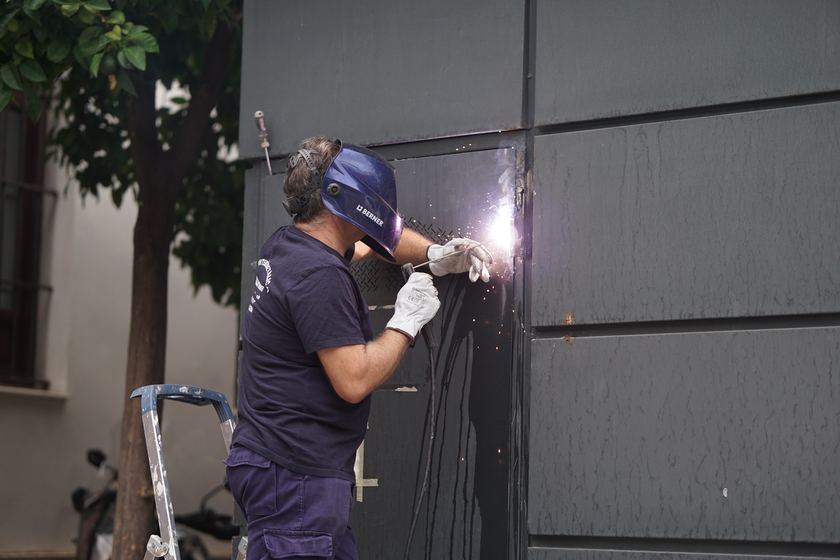
- For a welding shop, the features that decide the software are calls answered by AI, estimates and price book.
- Koira covers that list on Grow ($249 a month plus usage), with no per-person fee.
- 2 companies we checked name this trade on their own site: QuoteIQ and Steelhead Technologies.
- Prices and card rates for QuoteIQ, Jobber and Steelhead Technologies are from each company's own pages, checked October 8, 2026, October 10, 2026 and November 3, 2026.
What a welding shop needs from software
A welding shop does three kinds of work: repairs priced by the hour with a minimum, fabrication priced from a drawing, and mobile work with a trip charge. The repair customer wants someone who answers today; the fabrication customer wants a clear price and a date.
The software built for fab shops is usually a job shop ERP with routings, inventory and scheduling for a production floor. A one to five person shop needs the front of the business to work: the phone, the quote, the minimum and getting paid.
- Calls answered by AI. A caller with a broken trailer or machine rings the next welder before you finish the bead.
- Estimates. Repair and fabrication quotes start from a photo, a sketch or a drawing, and the first clear price usually wins.
- Price book. A shop rate, a minimum charge and a trip charge decide whether small repairs pay, and they are easy to skip on a busy day.
- Invoices and online payments. Small repairs are paid at pickup or on the spot, and chasing them later costs more than they are worth.
- Deposits at signing. Steel for a gate or a fabrication run is bought before the first cut, so it should be the customer's money.
- Review requests. Gates, railings and repairs sell on photos and on reviews that say fast and strong.
The jobs on a welding estimate
These are the lines a welding and fabrication estimate is built from. The unit is how each one is usually priced.
| Job line | Priced by | What the line says |
|---|---|---|
| Shop labor, fabrication | hour | Cutting, fitting, welding and grinding at your shop rate. |
| Mobile welding labor | hour | On site, with the rig; say where the job is. |
| Trip charge | each | Truck and rig to the site and back. |
| Steel, tube and plate | lb | Material at cost plus your markup; name the size and gauge. |
| Steel, by the stick | each | Length, profile and wall, such as square tube. |
| Aluminum or stainless stock | lb | Alloy and thickness; slower to weld than mild steel. |
| Hardware: hinges, latches, wheels | each | Brand and finish so the customer knows what they get. |
| Repair weld, cracked part | part | What broke, the metal, and whether it needs preheat. |
| Grind and finish | hour | Smooth welds, edges and corners before paint or coating. |
| Prime and paint, or send out for powder coat | each | Color and who does the coating. |
In Koira these go on your price list once. Every estimate, instant price and invoice pulls from it, so a welding shop never types the same line twice, and Koira never writes a number that is not in your records.
A plain checklist for welding software
- Calls answered while the hood is down
- Quotes from photos, sketches and drawings
- A minimum charge on every small repair
- A trip charge on mobile work
- Deposits before the steel is bought
- Per part pricing with a setup fee for runs
- Paid at pickup or on the spot
- A review ask after every job
How Koira covers the list
Calls answered by AI. On Grow, Koira answers on your number and texts back every missed call within about a minute, asking what broke, the metal and whether it can come in.
Estimates. On Office, the free plan, the quote form on your Koira site takes photos, PDF, DXF and STEP files, and photos become a draft estimate from your price list for you to check.
Price book. Your price list holds hourly, per part and per batch lines, with a minimum charge, a setup fee and a rush percentage that ride on every estimate and carry to the invoice.
Invoices and online payments. Mark a shop job Ready and Koira texts the customer with the pay link (from your Koira number on Grow); a mobile job gets the invoice when you tap done.
Deposits at signing. Set a deposit rule and it is paid when the customer signs, before you buy the steel.
Review requests. Every paid job gets the review ask, on every plan.
Which software companies list welding work
We read the industries pages of the companies we compare on koira.ai and noted which ones name this trade. QuoteIQ and Steelhead Technologies are in the tables below.
- QuoteIQ names it as Ornamental Iron (custom railings, gates and security bar fabrication, with its page marked coming soon). Read on QuoteIQ industries.
- Steelhead Technologies names it as Fabrication. Read on Steelhead Technologies home page.
JobBOSS2 from ECI calls itself job-shop ERP for make-to-order and custom metal manufacturers, and its page asks you to get pricing rather than showing it, so it is not in the tables below.
Read on October 10, 2026 from each company's own page. A company not named here may still serve welders and fabricators; it just does not name the trade on that page, so ask.
What to compare
The features that matter most to a welding shop, and where each first appears on each company's public pricing page, then the people, usage, card and add-on rows every company gets. It is not a full feature list for anyone, including us.
| What you need | Koira | QuoteIQ | Jobber | Steelhead |
|---|---|---|---|---|
| Calls answered by AI | Grow | Essentials (AI Virtual Call Team) | Receptionist add-on, $29 a month, included on Plus | Not listed |
| Estimates | Office (free) | Essentials | Core | Listed (quoting and order entry) |
| Price book | Office (your price list) | Essentials (price book) | Not listed | Not listed |
| Invoices and online payments | Office (free) | Essentials | Core | Listed (invoicing) |
| Deposits at signing | Office, at signing | Essentials (partial payments) | Not listed | Not listed |
| Review requests | Office (free) | Essentials (Review Multiplier) | Not listed | Not listed |
| People, usage and card fees | ||||
| Extra people | No per-person fee; one or fifteen people, the same price | $25 a month each | $29 a month each | Not published |
| Usage or credits | None on Office, at cost on Grow, included on Front Office | AI tools listed as included on every plan; no limit on the pricing page | None on the pricing page | Not published |
| Card payments | 2.9% + 30¢ (Stripe) plus 2%, 1% or 0.5% by plan (Koira) | Not published; Stripe's processing plus a QuoteIQ platform fee | 2.9% + 30¢ online, 2.7% + 30¢ Tap to Pay, 1% bank (ACH) | Not published |
| Add-ons | None; postcards are a flat price per card | AI Website Builder $34.99 a month below Max; extra storage from $9.99 a month | Receptionist $29, Pipeline $49, Marketing Suite $99 a month (all three in Plus) | Not published |
From QuoteIQ pricing, checked November 3, 2026; Jobber pricing, checked October 8, 2026; Steelhead Technologies, checked October 10, 2026. Jobber's pricing page blocks a plain fetch and changes its prices with a team size picker, so we read it in a real browser. The $29 a month per added user is in the note behind each plan's user count. Steelhead's /pricing page refused a plain fetch (403). Its home page shows no prices and asks you to schedule a demo. A cell names the lowest plan that lists the feature; "Not listed" means we did not see it, so ask. Prices change often, so check the page before you buy.
What each one costs
Every plan in the same columns: price, people, usage, card rates and add-ons. Koira has no per-person fee on any plan, and Office costs nothing a month.
| Plan | Monthly | Billed yearly | People included | Usage or credits |
|---|---|---|---|---|
| Koira | ||||
| Office | $0, free | Monthly, no contract | One or fifteen, the same price | None charged on Office |
| Grow | $249 a month | Monthly, no contract | One or fifteen, the same price | Texts, call minutes and emails at cost, nothing added |
| Front Office | $499 a month, flat | Monthly, no contract | One or fifteen, the same price | Included in the $499 |
| QuoteIQ | ||||
| Essentials | $29.99 a month | $299.99 a year, paid up front | 1 user | AI tools listed as included; no limit on the pricing page |
| Beginner | $99.99 a month | $999.99 a year, paid up front | 2 users | AI tools listed as included; no limit on the pricing page |
| Pro | $199.99 a month | $1,999.99 a year, paid up front | 4 users | AI tools listed as included; no limit on the pricing page |
| Elite | $299.99 a month | $2,999.99 a year, paid up front | 10 users | AI tools listed as included; no limit on the pricing page |
| Max | $699.99 a month | $6,999.99 a year, paid up front | 20 users | AI tools listed as included; no limit on the pricing page |
| Jobber | ||||
| Core | $49 a month | $29 a month billed yearly | 1 user | None on the pricing page |
| Connect | $139 a month for 1 user, $199 for 5 | $99 a month for 1 user, $149 for 5, billed yearly | 1, 5, 10 or 15 users | None on the pricing page |
| Grow | $199 a month for 1 user, $299 for 5 | $149 a month for 1 user, $229 for 5, billed yearly | 1, 5, 10 or 15 users | None on the pricing page |
| Plus | $499 a month for 5 users | $399 a month for 5 users, billed yearly | 5, 10 or 15 users | None on the pricing page |
| Steelhead Technologies | ||||
| Steelhead platform | Not published, priced after a demo | Not published | Not published | Not published |
What comes on top: people, card payments and add-ons
| Company | Each extra person | Card payments | Add-ons |
|---|---|---|---|
| Koira | No per-person fee on any plan | 2.9% + 30¢ (Stripe) plus 2% on Office, 1% on Grow, 0.5% on Front Office (Koira); on Office that share replaces a monthly fee | None; postcards are a flat price per card |
| QuoteIQ | $25 a month each | Not published; Stripe's processing plus a QuoteIQ platform fee | AI Website Builder $34.99 a month below Max; extra storage from $9.99 a month |
| Jobber | $29 a month each | 2.9% + 30¢ online, 2.7% + 30¢ Tap to Pay, 1% bank (ACH) | Receptionist $29, Pipeline $49, Marketing Suite $99 a month (all three in Plus) |
| Steelhead Technologies | Not published | Not published | Not published |
From QuoteIQ pricing, checked November 3, 2026; Jobber pricing, checked October 8, 2026; Steelhead Technologies, checked October 10, 2026. Jobber's pricing page blocks a plain fetch and changes its prices with a team size picker, so we read it in a real browser. The $29 a month per added user is in the note behind each plan's user count. Steelhead's /pricing page refused a plain fetch (403). Its home page shows no prices and asks you to schedule a demo. A cell names the lowest plan that lists the feature; "Not listed" means we did not see it, so ask. Prices change often, so check the page before you buy.
Card rates as each company publishes them (also QuoteIQ online payments), checked November 3, 2026; , checked October 9, 2026. Koira's is Stripe's 2.9% + 30¢ for a US card plus Koira's share, which pays for Office in place of a monthly fee.
How to choose
If repair calls go to voicemail, start with call answering and text-back on Grow. If small jobs are not paying, put your minimum and trip charge on your price list; that and photo quotes are on Office, the free plan.
If you run a fab shop with routings, material inventory and job costing across several people, a job shop ERP like JobBOSS2 or Steelhead fits that better. Neither publishes prices, so ask in a demo.
Whichever you try, put one real week of welding jobs through it before you commit. Koira's Office plan is free with no time limit: start on Office, free, or see every plan on the pricing page. The others offer free trials or demos, so ask.
Sources, each checked November 3, 2026: QuoteIQ pricing, QuoteIQ online payments, QuoteIQ industries, Jobber pricing (checked October 8, 2026), Jobber industries (checked October 8, 2026), Steelhead Technologies (checked October 10, 2026), Steelhead powder coating software (checked October 10, 2026), Stripe pricing (checked October 9, 2026), ECI Solutions: JobBOSS2 (checked October 10, 2026), and Koira pricing. We read each page's own text; we did not use summaries or third-party price lists.
Software guides for other trades: Painting software, Pool service software and Remodeling software.
Shane Allen writes Koira's guides for trade business owners. How we check our numbers.