Most SEO advice is a list of everything at once. That is hard to act on when you are on jobs all day and doing the office work at night. This plan breaks the first month into four weeks, each with a short list of tasks a solo or small trade business can finish in a few evenings. It assumes you are starting from nothing: maybe a Facebook page, maybe an old website, maybe neither. If you want the short version of why these things matter, read SEO for contractors is easier than you think first. This page is the order to do them in.
- Week 1 is the Google Business Profile: verified, your real name, few categories, a service area instead of a home address, and the same name and phone everywhere.
- Week 2 is your website: one page per main service, a clear title on each, and the towns you serve written the way customers type them.
- Week 3 is a review routine: the same ask, with your Google link, after every paid job. Google does not allow rewards for reviews or asking only happy customers.
- Week 4 is a short list of directories, plus Search Console and your profile's performance numbers, so you have a baseline to measure against.
- Google says some changes show up in hours and others take months. Day 30 is the start of measuring, not the finish line.
Before you start: what Google says it looks at
Google publishes the basics of local ranking on its Business Profile help page. Local results are mainly based on relevance (how well your profile matches the search), distance (how far you are from the person searching) and how well known your business is, which Google calls prominence. Prominence is partly based on how many websites link to your business and how many reviews you have.
The same page says there is no way to request or pay for a better local ranking. So the whole month below is about the parts you control: telling Google clearly what you do and where, and building up reviews and mentions over time.
| Week | Focus | Done when |
|---|---|---|
| 1 | Business Profile and matching details | Profile verified, details written down once |
| 2 | Service pages and service area | A page per main service, towns listed |
| 3 | Review routine | Every paid job gets the same ask |
| 4 | Directories and measuring | Search Console set up, baseline noted |
Week 1: the Google Business Profile and matching details
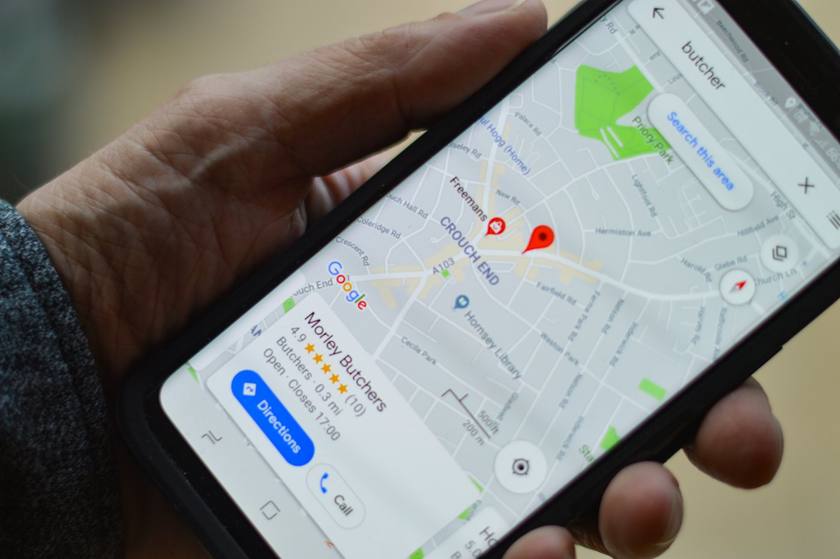
Your Business Profile is the box with your name, stars, hours and call button on Google Maps and in local results. For "near me" searches it often does more work than your website, so it comes first.
Day 1: find out what already exists. Search for your exact business name on Google and on Maps. Google says a service-area business can only have one profile for the whole area it serves, so if a profile already exists, claim it rather than making another. If nothing shows up at all, our guide on a business not showing on Google Maps walks through the usual causes.
Days 1 to 3: create or claim it, and start verification. Google says the verification options you get depend on your business type, public info, region and hours, and some businesses need more than one method. If you get a phone or text option, answer the business phone yourself: Google says automated phone menus will not get the code. If you get a postcard, Google says most codes arrive within 14 days and expire after 30 days, and that you should not edit your business name, address or category while you wait, or the code will not work. Our step by step guide on how to verify your Google Business Profile covers each method.
Days 3 to 5: fill it in the way Google's guidelines ask. Google's guidelines for representing your business set a few rules that trip up trade businesses:
- Name. Use your real-world name, as used on your truck, website and paperwork. Google says adding unnecessary information to the name is not permitted and could get the profile suspended. "Smith Electric" is fine. "Smith Electric Best Electrician 24/7" is not.
- Category. Use as few as possible. Google's test is "this business IS a" rather than "this business HAS a". Pick the one that says what you are, and add a second only if it is also what you are.
- Address or service area. If customers do not come to you, Google says to remove your address and set a service area instead. You can set up to 20 service areas by city or postal code, not as a radius, and Google says the whole area should not be more than about 2 hours of driving time from where you are based. A rented mailbox address that you do not work from is not eligible.
- Phone. Google asks for a local number instead of a central call center number where possible. Use the number you actually answer.
- Services. In the services editor Google suggests options for your type of business (for a plumber, things like "Install faucet" or "Repair toilet") and lets you add your own. Google says custom service names should not include prices or phone numbers.
- Hours. Set real hours. For holidays and short closures, use special hours so your regular hours stay put. Google suggests confirming your holiday hours even when they are the same as usual.
- Photos. Add your truck, your team and finished work. Google lists photos and videos as one of the ways to show customers what you offer.
Days 5 to 7: write your details down once and use them everywhere. Marketers call this NAP: name, address and phone. Google's guidelines put it as representing your business the way it is consistently represented in the real world, across signage, stationery and other branding. Write one exact version of your name, phone, service area and hours in a note. That note is what you copy into your website footer, invoices, estimates, Facebook page and every directory in week 4. When the details disagree, customers call the wrong number and trust you less.
Run the free Google Business Profile checker at the end of the week to see what is still missing next to businesses near you.
Week 2: a page for each service and the towns you serve
A one page website that says "we do it all" gives Google little to match against "drain cleaning in Riverview". This week is about giving it something to match. If you do not have a site yet, read seven things every contractor website needs before you start.
Day 8: check whether Google has found your site. Google's SEO starter guide suggests searching Google for site: followed by your web address. If pages show up, you are in Google's index. If nothing shows up, that is the first thing to fix, and Search Console in week 4 will help.
Days 8 to 11: one page per main service. List the five to ten services that make you money. Give each its own page that says what the job includes, what changes the price, a few photos from your own jobs, and a clear way to call, book or get a price. Write it the way you would explain it on the phone. The starter guide asks you to think about the words a customer might search for, and notes that people who know a lot about a topic use different words than people who are new to it. Your customer says "water heater leaking", not "tank failure".
Give each page a clear title. Google says a good title is unique to the page, clear and concise, and accurately describes the page, and that it can include your business name and location. "Drain cleaning in Brandon, FL | Smith Plumbing" does that. Google also says it does not use the keywords meta tag, so skip it.
Days 12 to 14: write your service area in plain words. Put the towns you serve on your site in the same words you used for your Business Profile service areas, the way customers type them: "Brandon, Valrico, Riverview and Seffner", not "the greater metro region". A short service area section on your home page and a page for each town you really work are both fine. What is not fine is copying one page twenty times with the town name swapped. Google's spam policies list pages targeted at specific regions or cities that funnel users to one page as an example of doorway abuse. Each town page should say something true about your work there, like a job you did or the services you offer in that town.
Which services and seasons matter depends on the trade. Our trade guides go deeper: SEO for plumbers, electricians, HVAC, roofers, landscapers, painters, cleaning companies and handymen. When the pages are up, run the free website grader to check tap to call, speed on a phone and whether your site matches your Google profile.
Week 3: start a review routine you can keep
Google names how many reviews you have as part of prominence, and its tips to get more reviews start with asking. The goal this week is not a burst of reviews. It is a habit that runs after every job for years.
Day 15: get your review link. Google says you can ask customers to visit a Google link or scan a QR code, which you get in your Business Profile under Read Reviews, then Get more reviews. Google notes the QR code can only be made on a computer browser, not a phone. The free Google review link generator finds your link, makes the QR code and gives you three request texts to start from.
Days 15 to 17: learn the rules once. Google's Maps content policy says businesses must not:
- Offer incentives, such as payment, discounts or free goods or services, in exchange for a review, or for changing or removing a bad one.
- Discourage or prohibit negative reviews, or selectively ask only happy customers.
- Pressure customers to leave a review while you are standing there, or ask them to include specific words.
So the routine that stays inside the rules is also the simplest one: ask every customer, in the same words, at the same point in every job.
Days 17 to 21: pick your moment and write the ask. Choose one trigger you never skip, such as the day the invoice is paid. Google suggests putting the link on receipts and in thank you emails, so add it to your invoice template and your thank you text. Keep the ask to two sentences with the link. One thing to know: Google says customers must be signed into a Google Account to leave a review, and they can set one up with a non-Gmail email address. If someone says they cannot leave one, that is usually why. Our guide on how to ask for a Google review without feeling awkward has wording that works.
Answer every review. Google's tips ask for replies that are short and simple, conversational rather than promotional, and that never share a reviewer's private information. When a complaint is complicated, Google suggests asking the reviewer to contact you by phone or email to sort it out privately. Read how to respond to Google reviews, or draft one in seconds with the free review reply generator.
Check where you stand
Halfway through the month is a good time to see what a customer sees. Koira's free AI report looks at your search results, listings, reviews and website, and compares you with businesses in your trade near you.
Week 4: directories, Search Console and a baseline
Days 22 to 24: a short list of directories. Google does not publish a list of directories that count. What its local ranking page does say is that prominence draws partly on how many websites link to your business. So pick a handful of places where customers really look or where you already belong, and list yourself with the exact details from your week 1 note:
- Bing Places and Apple Business Connect, so people on other maps apps find the same details.
- Yelp, Nextdoor and the Better Business Bureau, if customers in your area use them.
- Your local chamber of commerce or business association.
- Manufacturer or supplier installer listings for brands you are certified on.
- Your trade association's find a pro list.
Skip anyone selling hundreds of directory submissions. A few listings with correct details beat a pile of wrong ones you can never update.
Days 25 to 27: set up Search Console. Google's Search Console shows how Google crawls, indexes and serves your site. Google's getting started steps are to verify that you own the site, check that Google can find and read your pages, and consider submitting a sitemap. Google says pages can be found without a sitemap, but submitting one might speed up discovery. Google also says there is no need to sign in every day: it emails you if it finds new issues, and checking around once a month is enough.
The Performance report is the part you will use. It shows clicks, impressions, click-through rate and average position, and by default it covers the past three months. Google notes that you might not see your site when you run the same search yourself, because results are specific to the time, place, device and recent history of the person searching. That is why checking your ranking from your own phone tells you little.
Days 28 to 30: write down your baseline. Your Business Profile has its own performance numbers, available once the profile is verified: calls from the call button, website clicks, direction requests and the searches people used to find you. Google says the searches number updates at the start of each month and can take up to 5 days to show. On day 30, write down:
- Calls and website clicks from your Business Profile.
- Clicks and impressions from the Search Console Performance report.
- Your total Google reviews and your rating.
- How many new customers told you they found you on Google.
Those four numbers are what you compare against each month from now on. For a fuller picture, the free local SEO checker scores your profile, reviews, photos and site out of 100.
After day 30: the monthly routine
Google's starter guide says some changes take effect in a few hours and others could take several months, and that you will likely want to wait a few weeks before judging whether a change helped. So month two is not about new projects. It is about keeping the first month's work alive:
- Every job: the review ask goes out, and every review gets a reply.
- Every month: post a finished job with your own photos on your site and your profile, and compare your four baseline numbers.
- Before every holiday: set special hours on your profile.
- Whenever something changes: phone, hours, services or towns get updated in your note first, then on your profile, site and directories.
What to leave alone: ranking guarantees (Google says there is no way to pay for a better local ranking), bulk link packages, and stuffing your town name into every sentence. Google's starter guide says keyword stuffing is against its spam policies.
Where Koira fits
Everything above can be done by hand, and this plan is written so you can. If you would rather not, Koira does the recurring parts: a site built from your business with a page for every town you work and every service you offer, Google and Bing listings kept matching, a review ask an hour after every paid invoice with a reply drafted when the review comes in, and a monthly post from your job photos. Reporting shows what that work brought in, in dollars. The site on a Koira address, estimates and invoices are on the free Office plan; your own domain and the receptionist are on Grow. See pricing.
Questions contractors ask
Can I do contractor SEO myself in 30 days?
You can do the setup in 30 days: a verified profile, service pages, a review routine and Search Console. The results take longer. Google's own starter guide says some changes take effect in hours and others take several months.
What should I do first if I have nothing?
Create and verify your Google Business Profile. Verification can take time, especially by postcard, where Google says most codes arrive within 14 days, so start it on day one and build your website while you wait.
Should I show my home address on Google?
Not if customers do not come to you. Google says businesses that do not serve customers at their address should remove it and set a service area, up to 20 cities or postal codes within about 2 hours of driving time.
What does NAP consistency mean?
Your name, address (or service area) and phone number written exactly the same on your Google profile, website, invoices and directories. Google's guidelines ask you to represent your business the way it is consistently represented in the real world.
Can I give a discount for a Google review?
No. Google's policy forbids offering payment, discounts or free goods or services for reviews, and also forbids asking only happy customers. Ask every customer after every paid job instead.
Do I need Search Console if I have a Google Business Profile?
They measure different things. Your profile's performance numbers show calls, website clicks and direction requests from your listing. Search Console shows how your website does in Google Search: clicks, impressions and the searches that show it.
Sources
- Google Business Profile Help: Tips to improve your local ranking on Google, checked October 10, 2026
- Google Business Profile Help: Verify your business on Google, checked October 10, 2026
- Google Business Profile Help: Guidelines for representing your business on Google, checked October 10, 2026
- Google Business Profile Help: Manage your service areas for service-area and hybrid businesses, checked October 10, 2026
- Google Business Profile Help: Manage your services on your Business Profile, checked October 10, 2026
- Google Business Profile Help: How to set special hours, checked October 10, 2026
- Google Business Profile Help: Tips to get more reviews, checked October 10, 2026
- Google Business Profile Help: Create a Google link or QR code to request reviews, checked October 10, 2026
- Maps User Generated Content Policy Help: Prohibited and restricted content, checked October 10, 2026
- Google Business Profile Help: Understand your Business Profile performance and insights, checked October 10, 2026
- Google Search Central: SEO Starter Guide, checked October 10, 2026
- Google Search Central: Spam policies for Google web search, checked October 10, 2026
- Google Search Central: Get started with Search Console, checked October 10, 2026
- Search Console Help: Performance report (Search results), checked October 10, 2026
Shane Allen writes Koira's guides for trade business owners. How we check our numbers.