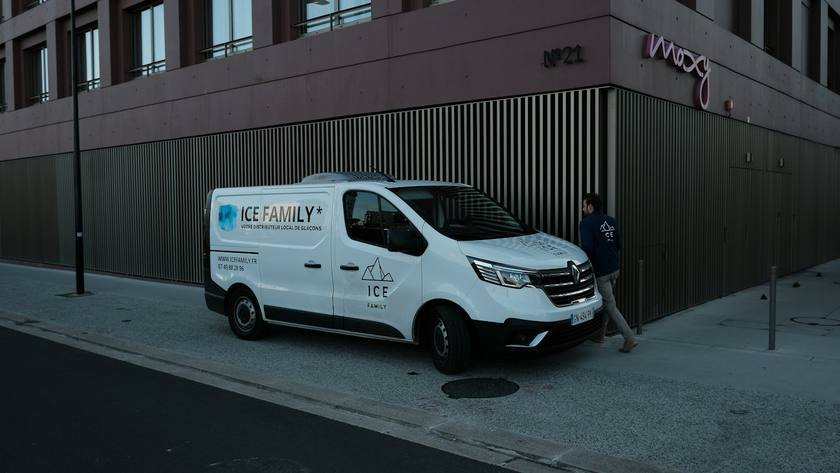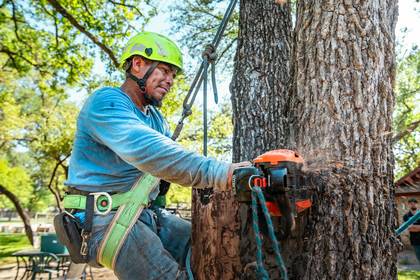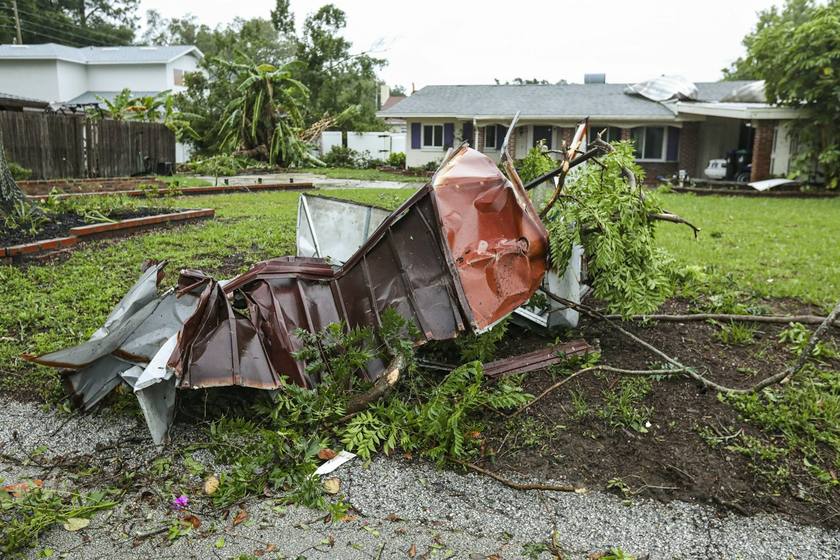
Most trades can glance at a phone between tasks. A climber in a saddle with a running saw cannot. Neither can the ground crew feeding a chipper. That one fact shapes what tree service software needs to do: it has to work while nobody on the crew can touch a phone for hours at a time.
Add storms, which turn a quiet week into a flood of urgent calls, and estimates that swing from a small trim to a crane job, and you get a trade where the office work piles up fast. This page covers the jobs software should take over for a small tree crew, a checklist to bring to demos, and how the usual options compare.
- Your software has to answer the phone, because nobody in a tree can.
- Removals are big tickets. Options, a deposit and pay over time help them get signed.
- Crew hours matter more in tree work than most trades, because labor is most of the price.
- A tree coming down draws the whole street outside. That is a chance to get the next job.
Nobody can answer from a tree
When a storm comes through, the calls start before the wind stops. A limb on a roof. A tree across a driveway. A cracked trunk leaning toward the house. These callers are scared and want someone today, and they will keep dialing until someone answers.
On a normal day the calls are less urgent but just as easy to lose. A homeowner wants a quote on two oaks over the pool. A property manager wants a dead pine down before it falls. If they reach voicemail while you are forty feet up, many of them call the next company on the list.
So the first thing to ask of any tree service software is simple: what happens when a call comes in and nobody picks up? If the answer is a voicemail you will hear at six o'clock, keep looking.
Trim, remove or remove and grind
Tree estimates are unusual because one tree can be priced so many ways. Trim the deadwood. Take it down and leave the wood. Take it down, haul it away and grind the stump. Each is a real choice, and homeowners often do not know which they want until they see the prices side by side.
That makes options on one estimate more useful in tree work than almost anywhere else. It also makes the deposit important. A removal that needs a bigger crew, or a crane, is a day you have planned around. A signed yes with a paid deposit keeps that day from disappearing.
Photos help too. A picture of the tree, the house and the drop zone tells you most of what you need for a first number, and it is the record you will want if the customer asks why a job cost what it did.
Hours are the job
In tree work, labor is most of what you sell. A removal that was priced for four hours and took seven is a job you lost money on, and you often do not find out until payday. Knowing who was on which job, and for how long, is how you price the next one better.
For a small crew, that does not need a complex time system. It needs each person to tap in and out of a job from their own phone, and you to see the hours by person and by job at the end of the week.
Checklist for tree service software
Write a yes or no next to each item after every demo.
- Every call answered, and missed calls texted back with open times
- Emergency calls flagged to you right away
- Booking by text or online, into a day sorted by the drive
- Estimates drafted from photos and your price list
- Trim, removal and stump grinding as options on one estimate
- A deposit paid on the same page the customer signs
- Pay over time for large removals
- Follow-ups on estimates that go quiet
- Invoice sent when the job is done, paid on the spot
- Crew clock in and out by job, with hours by person
- Postcards to the homes around a finished job
- Review asks after every paid job
Koira on a tree crew
Here is how Koira handles each item, and which plan it is on.
The phone. On Grow, Koira answers on a Koira number. When you cannot pick up, it texts the caller back in about a minute, asks what they need and offers three open times. If a caller says it is an emergency, Koira texts you. It works in English and Spanish and never makes up a price. See the AI receptionist.
Booking. Customers can book by replying to a text with a time on Grow, or tap Book online on your Koira site on any plan. The look lands on Today, sorted by the drive. See booking by text and Today and routes.
Estimates from photos. Snap the tree and Koira drafts the estimate from your photos and your own price list, with up to three options such as trim, remove, or remove and grind. The customer picks one, signs with a finger and pays the deposit on the same page. Your deposit rule, a percent or a flat amount, is applied to every estimate. Estimates are on every plan. See estimates and signing and deposits.
Follow-ups. Koira nudges every open estimate on day two and day four, then stops. You can see who opened it. See bid follow-ups.
Pay over time. For a big removal, the customer can choose Affirm or Klarna on the pay page and apply on their own phone. You do not run credit. See financing.
Getting paid. When you tap done, the invoice is built from the signed estimate and sent. The customer can scan a QR code on your phone and pay by card, Apple Pay or Google Pay before the chipper is hitched. See invoices and pay at the door.
Crew hours. On Front Office, each person clocks in and out of jobs from their phone. Koira ties the hours to the job, and you see them by person and by job with no timesheets to collect. Each person's stops show in driving order. There is no per-person fee on any plan. See crew.
The street. After each job, Koira picks the homes nearby most likely to hire you, prints a card with a photo from the job and mails them the next morning. It leaves out your current customers and anyone who asked not to get mail. Each card is one flat price on every plan. See neighbor postcards.
Reviews. An hour after an invoice is paid, Koira texts the customer your Google review link and drafts the reply when the review comes in. See reviews.
Tree service options compared
The rows below are the ones tree crews tend to ask about. Each cell shows the lowest plan where the feature appears on each company's own pricing page. It is not a complete feature list for any of them.
| What you need | Koira | Jobber | Housecall Pro | QuoteIQ |
|---|---|---|---|---|
| When the phone rings | ||||
| Calls answered and missed calls texted back | Grow | Plus, or a $29 add-on | Listed as a separate product | Essentials (AI call team) |
| Customers book online | Office (free) | Core | Basic | Elite (InstaSchedule) |
| Pricing the tree | ||||
| Estimates | Office (free) | Core | Basic | Essentials |
| Options on one estimate | Office, up to three | Grow (optional line items) | Max (sales proposal tool) | – |
| Photos on the job | Office (estimate from photos) | Plus (unlimited photos and videos) | Essentials (photo reports) | Beginner (QuoteIQ Cam) |
| Customer financing | On the pay page | – | Listed as a separate product | Essentials |
| Crew and money | ||||
| Crew scheduling and hours | Front Office | Plus | Basic (assign techs) | Max (crew management) |
| Job costing | – | Grow | – | Pro |
| Invoices and online payments | Office (free) | Core | Basic | Essentials |
| Postcards to the neighbors | Per card, any plan | – | – | – |
| Extra people | No per-person fee | Priced by team size | 5 on Essentials, 8 on Max, then $35 each | $25 a month each |
Each cell names the lowest plan whose card on the company's public pricing page lists that feature, checked October 8, 2026. A dash means we did not see it on the plan cards. The company may sell it as an add-on or on a higher tier, so ask them.
ServiceTitan is not in the table. It sells three packages, Starter, Essentials and The Works, priced per technician on request, and its pricing page does not tie features to a published price.
Published monthly prices
Tree crews are rarely one person. A climber, a groundsman and a seasonal helper is common, so check what each plan costs with your real crew size, not just the starting price.
| Plan | Price a month | People | What the plan card lists |
|---|---|---|---|
| Koira | |||
| Office | Free | No per-person fee | Site, estimates with signing, invoices, card payments, day plan |
| Grow | $249 plus usage at cost | No per-person fee | Adds the receptionist and text-back on a Koira number, Turbo, campaigns |
| Front Office | $499 flat, usage included | No per-person fee | Adds maintenance plans, crew routes and hours, commercial outreach |
| Jobber | |||
| Core | $49 monthly, or $29 billed yearly | 1 user | Online booking, quotes, invoices, a website |
| Connect | $139 monthly, or $99 billed yearly, for 1 user. $199, or $149 yearly, for 5 | 1, 5, 10 or 15 users, priced by team size | Adds quote and invoice follow-ups, QuickBooks Online sync |
| Plus | $499 monthly, or $399 billed yearly, for 5 users | 5, 10 or 15 users | Adds crew scheduling, Marketing Suite, AI-powered Receptionist |
| Housecall Pro | |||
| Basic | $79 monthly, or $59 billed yearly | 1 user | Online booking, scheduling, quotes, invoices, review tools |
| Essentials | $189 monthly, or $149 billed yearly | 5 users | Adds routes, flat-rate pricing, QuickBooks Online sync |
| Max | $329 monthly, or $299 billed yearly | 8 users, extra users $35 each | Adds recurring service plans and route optimization |
| QuoteIQ | |||
| Essentials | $29.99 monthly, or $299.99 a year | 1 user, extra users $25 each | Estimates, invoices, scheduling, online payments, AI call team |
| Beginner | $99.99 monthly, or $999.99 a year | 2 users, extra users $25 each | Adds MapMeasure Pro and e-signatures |
| Pro | $199.99 monthly, or $1,999.99 a year | 4 users, extra users $25 each | Adds email and text automation, QuickBooks |
| Elite | $299.99 monthly, or $2,999.99 a year | 10 users, extra users $25 each | Adds InstaQuote, route optimization, campaigns |
| ServiceTitan | |||
| Starter, Essentials, The Works | Not published, priced on request | Priced per technician | Dispatching, scheduling, call booking, invoicing, estimates |
Prices from each company's public pricing page, checked October 8, 2026: Jobber, Housecall Pro, QuoteIQ, ServiceTitan and Koira. Prices are per month in US dollars and change often, so check the page before you buy.
Choosing for a tree crew
Go back to the last storm. Count the calls you could not return that day, the estimates you wrote that never got an answer, and the removals that took longer than you priced. Each one points at a different feature.
- Lost storm calls point at how each tool answers the phone and texts back.
- Quiet estimates point at options, deposits, pay over time and follow-ups.
- Jobs that ran long point at crew hours tied to each job.
Then run a real week through your first choice, ideally one with a storm call in it. Koira has a free plan, and most of the others offer a free trial.