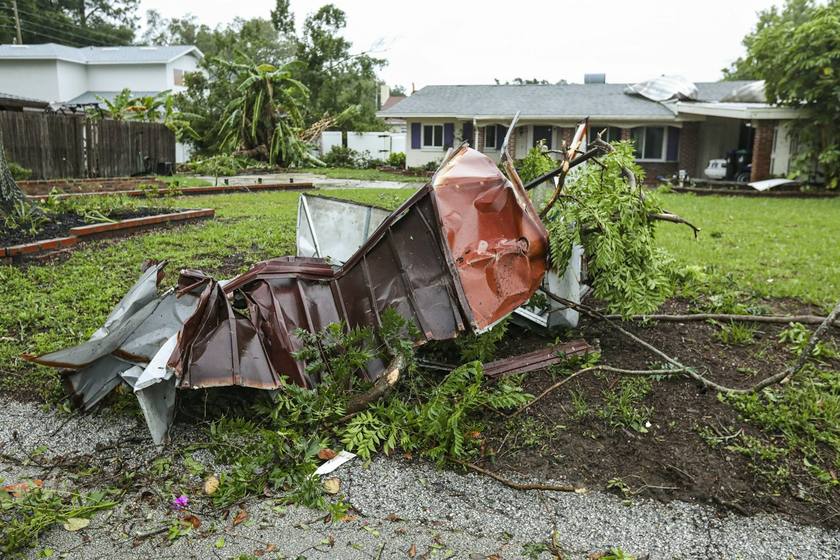
People search water damage restoration near me, emergency water removal, mold remediation. Most are standing in the problem as they search. They pick from the map, call the first company that looks real and hire whoever answers. This guide covers how local search works for restoration companies and what a small company can do about it.
- Google says local results come from relevance, distance and prominence. Profile, pages and reviews are what you control.
- Water, mold, fire and sewage are separate searches. Give each a page.
- Most searches are emergencies. Your listing and phone have to work at any hour.
- Plain pages on the drying process and insurance questions earn trust before the call.
- Ask every customer for a review, and never offer a discount for one.
How Google decides which restoration companies to show
Google's own help page names three things behind local results: relevance (does your profile match the search), distance (how close you are to the person searching) and prominence, which it also calls popularity (how well known the business is).
For restoration companies there are two kinds of search to win. "Water damage restoration near me" is a map search, decided by the listing. "Mold remediation cost" is a research search that lands on websites. A small restoration company can show up for both, but they need different things.
Three kinds of restoration searches
| Search | The customer | What wins |
|---|---|---|
| Water damage restoration near me | Water on the floor right now | Listing, hours and a phone that answers |
| Mold remediation cost | Found mold and worried | A page that explains testing and removal plainly |
| Does insurance cover water damage | Working out a claim | A plain page on what to expect |
Emergency searches go to the map. Buyers tap call on the first listing that looks real. Accurate hours, real photos and a phone that answers win the job.
Mold searches come from worried homeowners. A page that explains what you test, what you remove and how long it takes earns the call. The free mold remediation cost calculator gives them a first number.
Insurance searches come from people working out a claim. A plain page on how you work with adjusters, without promising what any insurer will pay, builds trust.
When restoration searches pick up
Searches follow the work. For restoration companies, the busy stretch is winter freezes and storm season, and it goes quiet in the dry weeks of late spring. Have the matching page and listing photos ready a few weeks before each busy month:
- January (busy): frozen and burst pipes
- February (busy): burst pipes and ice dams
- June (get ready): storm season begins
- August (busy): storm season
- September (busy): storms and flooding
- November (get ready): first freezes coming
- December (busy): frozen pipes and holiday leaks
Step 1: the Business Profile
Before anything else, get three parts of the restoration listing right:
- Real name only. Google does not allow extra information in the business name, and says doing it can get the profile suspended. "Riverbend Restoration" is fine. "Riverbend Restoration Water damage cleanup Mold remediation Near Me" is not.
- Few categories. Google wants the fewest categories that describe what the business mainly is.
- Service area, address hidden. If customers do not come to you, Google says to hide the address and show a service area. Google lets a service-area business set up to 20 service areas, by city, postal code or other area.
Drying equipment set up in real rooms, before and after mold work, your van and crew, and moisture readings on a meter. Make sure the listing and your site say the same thing about your name, phone and hours. Koira keeps those details matching on Google and Bing for you.
Step 2: the pages a restoration site needs
A single "services" page cannot match every search a restoration customer types. Give Google one page per thing people look for.
- Water damage cleanup. Extraction, drying and what the homeowner should do first.
- Mold remediation. Testing, removal and prevention.
- Fire and smoke cleanup. Soot, odor and contents.
- Sewage cleanup. Safety and what gets replaced.
- Storm damage. Tarping, board-up and drying.
- Working with insurance. What to expect, in plain words.
- A price page. What moves the cost; our guide to pricing restoration jobs covers the math.
- One page per town you serve.
Title each page with the service and the town, like "Fire and smoke cleanup in Valrico, FL | Riverbend Restoration", and write for the customer, not for a keyword count. Google's starter guide says keyword stuffing is against its spam policies. Koira writes a page for every town you work and every service you offer, from your business and price list.
Step 3: every finished job is proof
A wet basement next to the same room dried and rebuilt is a strong monthly post, with the town and the cause. It shows Google where you work and shows the next panicked homeowner that you have done this before.
No time to write? Koira turns your job photos into a monthly post on your site.
Step 4: reviews from every job
Google says prominence is based partly on how many websites link to your business and how many reviews you have. A steady run of recent reviews tells both Google and the next restoration customer that you are busy, local and careful.
Google says offering incentives, like free or discounted goods or services, in exchange for reviews is strictly prohibited. Asking only happy customers, or steering people away from negative reviews, is against Google's Maps policy.
- Send the ask the same day the invoice is paid, to every customer.
- Reply to every review and name what happened: a burst pipe, a sump failure, a storm. People in a crisis read reviews for proof you showed up fast.
- Stuck on a reply? The free review reply generator writes one from templates.
Koira sends the ask an hour after the invoice is paid and drafts the reply.
Check where you stand
See how your listing, reviews and site compare with other restoration companies nearby in about a minute, free.
Step 5: links you already have a reason to get
Google's local ranking page counts links from other websites toward prominence. Useful links for a restoration company: plumbers and roofers you trade referrals with, property managers you serve, and certification body listings if you hold one.
What to skip
- Anyone promising page one. Google's help page says no one can pay for, or ask for, a higher spot in the local results.
- Fake offices. A virtual office, meaning a rented address you do not work from, is not eligible for a Business Profile under Google's guidelines.
- The keywords meta tag. The keywords meta tag does nothing for Google Search, according to its own starter guide.
How to tell if it is working
- Calls, website clicks and direction requests from your Business Profile, by month.
- Requests for water damage cleanup and mold remediation that came from your site.
- Reviews per month compared with jobs finished.
- Where each booked restoration job came from.
Compare season to season, not week to week. Google's SEO starter guide says some changes take effect in a few hours and others take several months. Koira's reporting shows dollars paid on jobs Koira touched first, next to what Koira cost.
Paid leads alongside SEO
SEO takes months; some weeks you need calls now. Google lists "Water damage services" for Local Services Ads, which charge per lead and sit above the map. See restoration leads: where to buy them and how to need fewer, and restoration marketing ideas for the rest of the plan.
Where Koira fits
You can do all of this yourself. Koira exists for the restoration companies who would rather not: it builds the site and its pages, keeps listings in sync, asks for every review and posts your finished jobs. Office is free for the site, estimates and invoices, and Grow adds the receptionist and text-back for $249 a month plus usage at cost. See pricing or how a restoration company runs on Koira.
Questions contractors ask
How do restoration companies rank higher on Google?
Verify your Business Profile with accurate hours, add a page for each service and town, post real job photos and ask every customer for a review.
Do restoration companies need emergency pages?
Yes. Most searches are urgent, so a clear page on what to do first and how to reach you at any hour matches what people need.
Should restoration companies post prices?
Exact prices depend on the damage, but explaining what moves the cost and how insurance fits builds trust before the call.
Can I give a discount for a Google review?
No. Google says offering incentives, like free or discounted goods or services, in exchange for reviews is strictly prohibited.
Sources
- Google Business Profile Help: Tips to improve your local ranking on Google, checked October 9, 2026
- Google Business Profile Help: Guidelines for representing your business on Google, checked October 9, 2026
- Google Business Profile Help: Manage your service areas, checked October 9, 2026
- Google Business Profile Help: Tips to get more reviews, checked October 9, 2026
- Google Maps user contributed content policy: prohibited and restricted content, checked October 9, 2026
- Google Search Central: SEO Starter Guide, checked October 9, 2026
- Koira: pricing, checked October 9, 2026
- Local Services Help: Getting started with Local Services Ads (United States), checked October 9, 2026